
Create a searchable WordPress knowledge base that looks professional from day one
Build a knowledge base, documentation hub or help centre directly inside WordPress, with live article search, clear categories, custom branding and useful tools for your visitors.
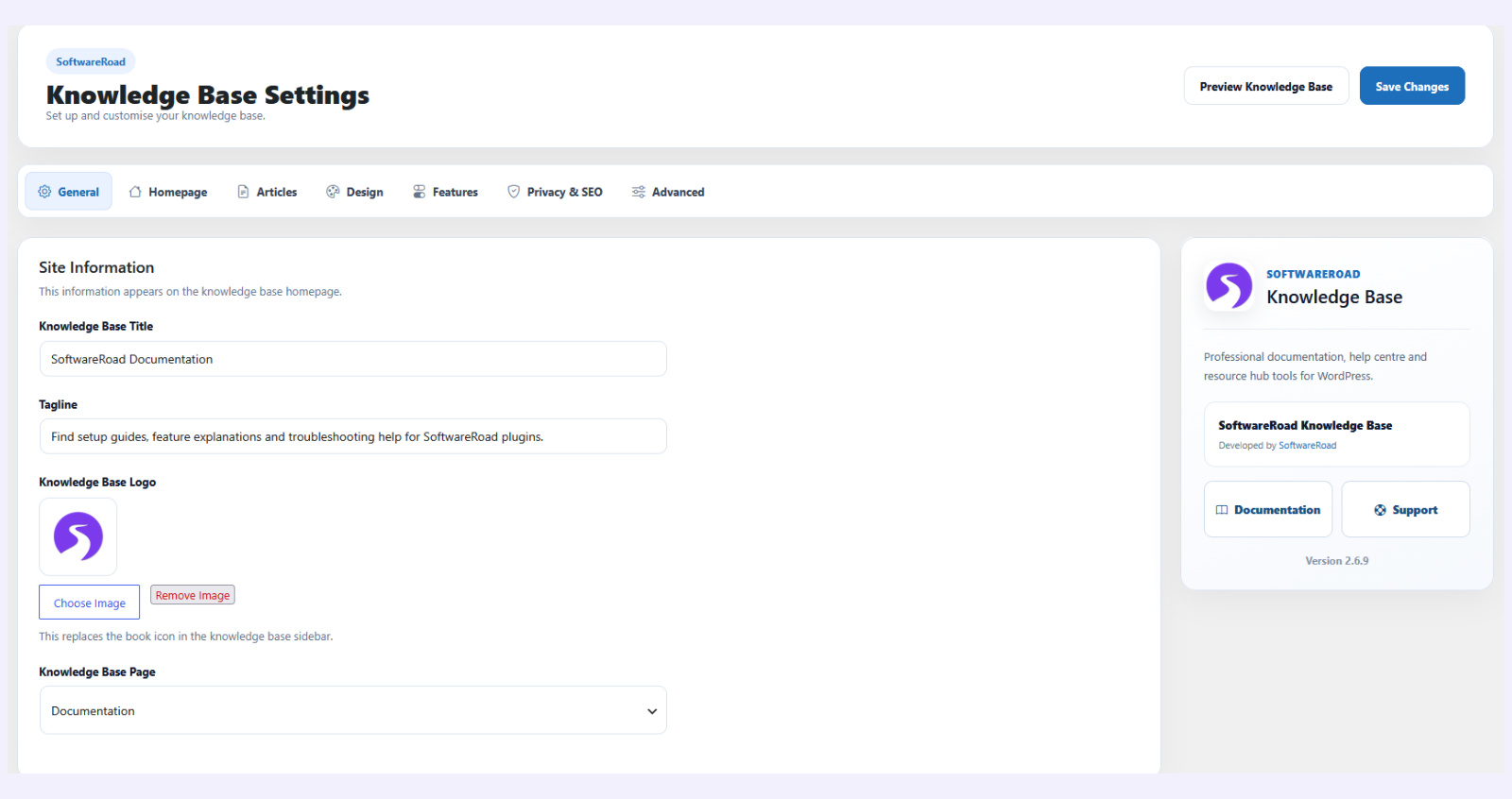
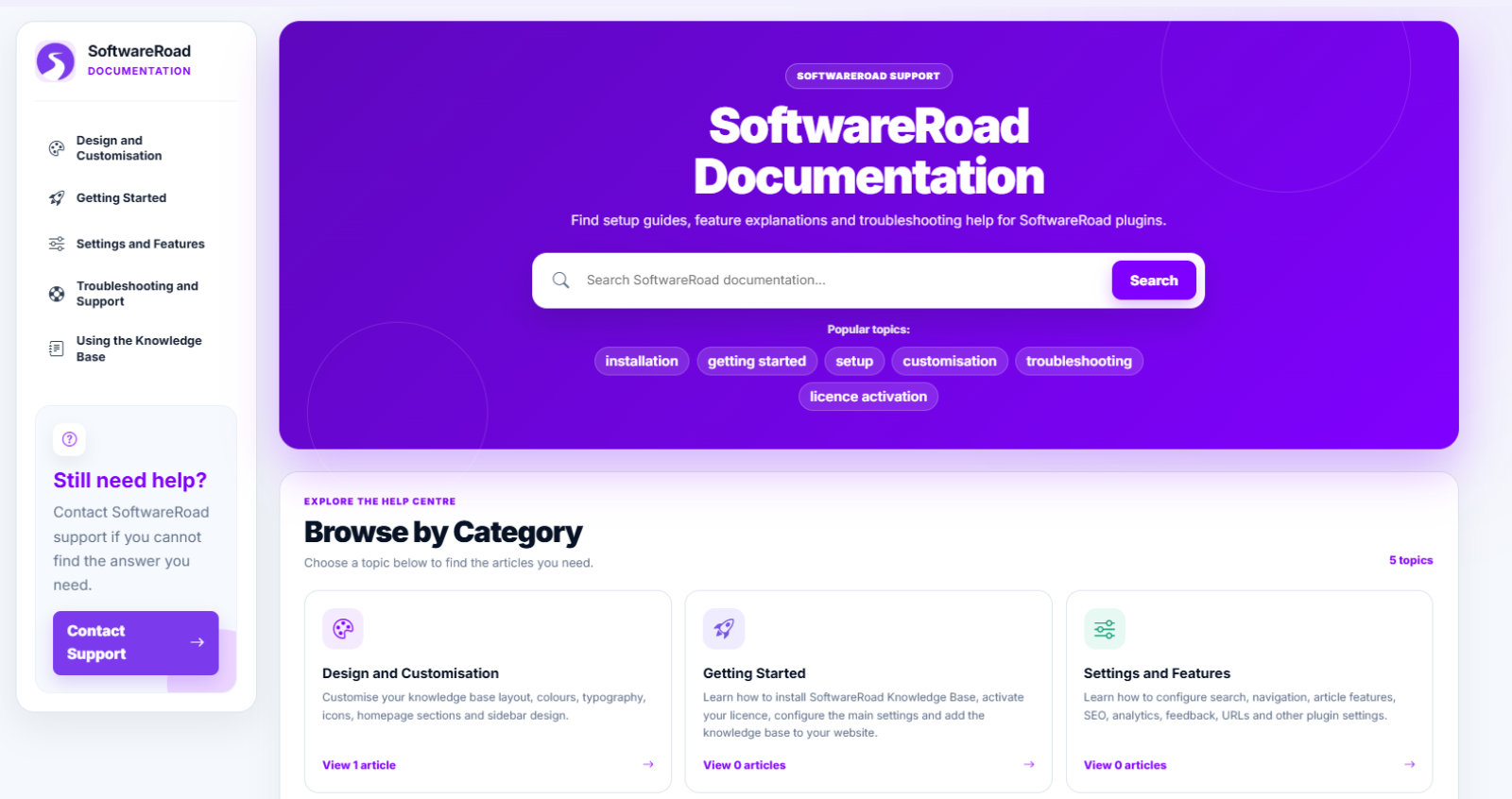
Everything you need for a better WordPress knowledge base
Create a searchable knowledge base, documentation hub or help centre without complicated setup, confusing controls or unnecessary clutter.
Quick to set up
Add the knowledge base to your website, create categories and start publishing helpful articles directly inside WordPress.
Easy to search and organise
Help visitors find answers using live article search, clear categories, breadcrumbs and straightforward navigation.
Make it match your website
Change your logo, colours, wording, icons and background images without needing to write your own code.
Understand what visitors need
View anonymous article and search insights, collect helpful votes and see which content visitors are using most.
More than somewhere to publish helpful articles
Build a complete WordPress knowledge base, documentation hub or help centre with tools that make content easier to find, easier to manage and more useful to your visitors.
Help visitors find the right answer quickly
Organise your documentation into clear categories and help visitors find relevant articles using live search, breadcrumbs and straightforward navigation.
- ✓ Live article search with instant results
- ✓ Clear categories, breadcrumbs and navigation
- ✓ Popular, recommended and recently updated articles
How can we help?
Search our guides or browse a category below.
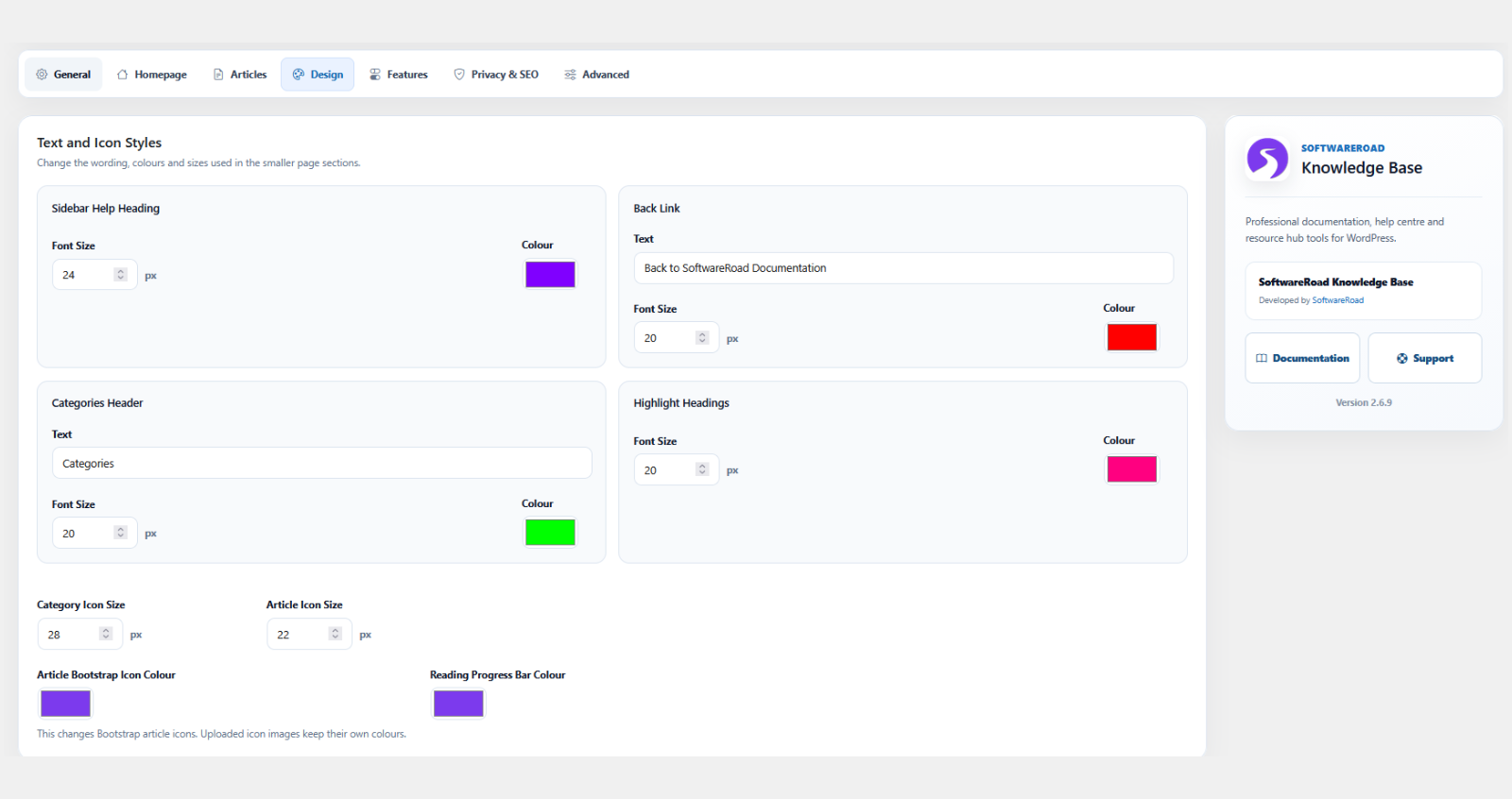
Make your knowledge base feel part of your website
Customise the appearance and wording of your knowledge base from WordPress, without editing theme files or writing your own code.
- ✓ Add your own logo, icons and background images
- ✓ Change colours, headings and interface wording
- ✓ Control homepage sections, sidebars and article options
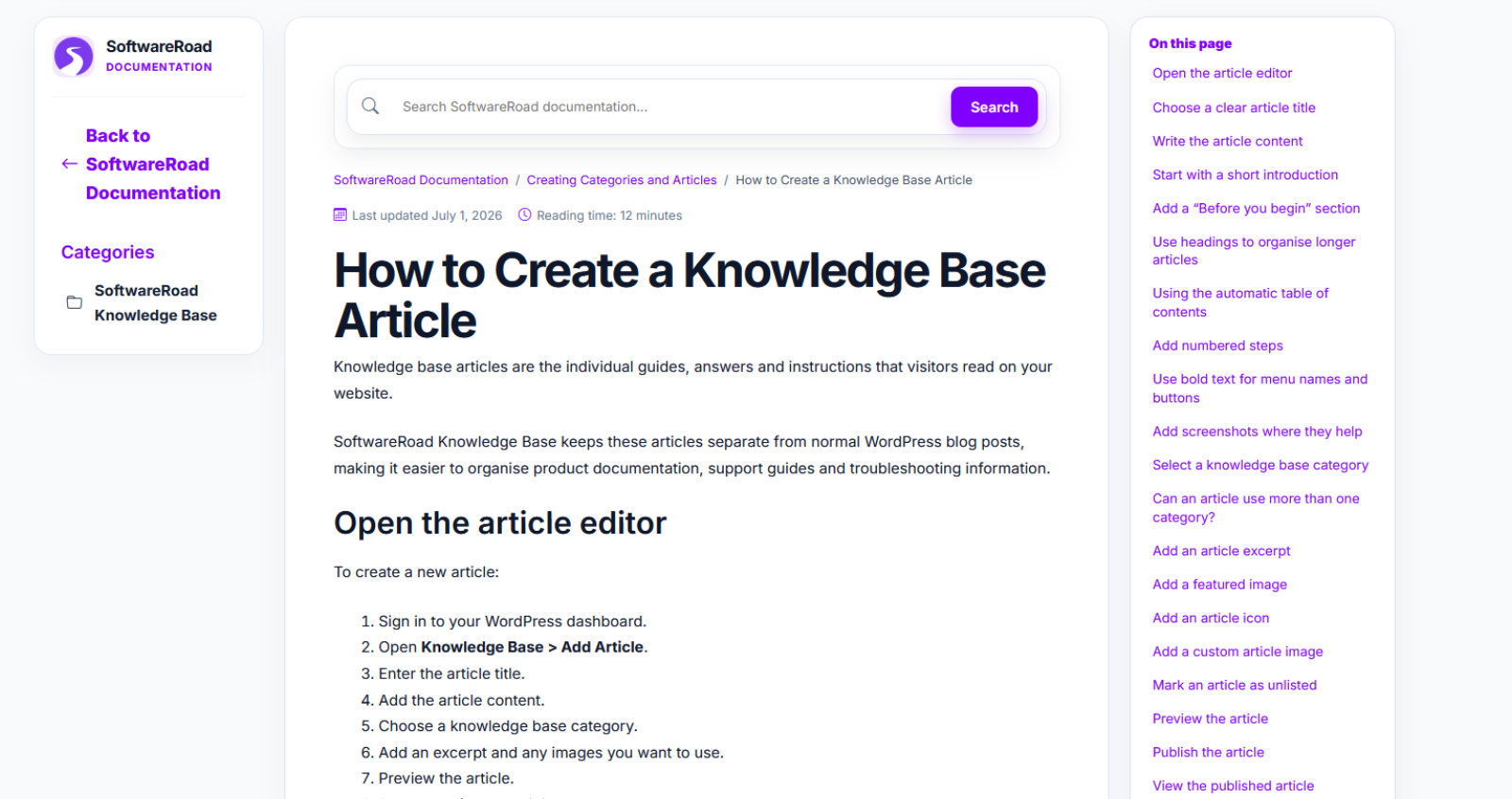
Turn every article into a useful resource
Give readers helpful navigation and supporting content around each article so they can understand the page and continue to related answers.
- ✓ Automatic table of contents and reading time
- ✓ Reading progress, related articles and social sharing
- ✓ Helpful voting, updated dates and recommended content
Understand what visitors are searching for
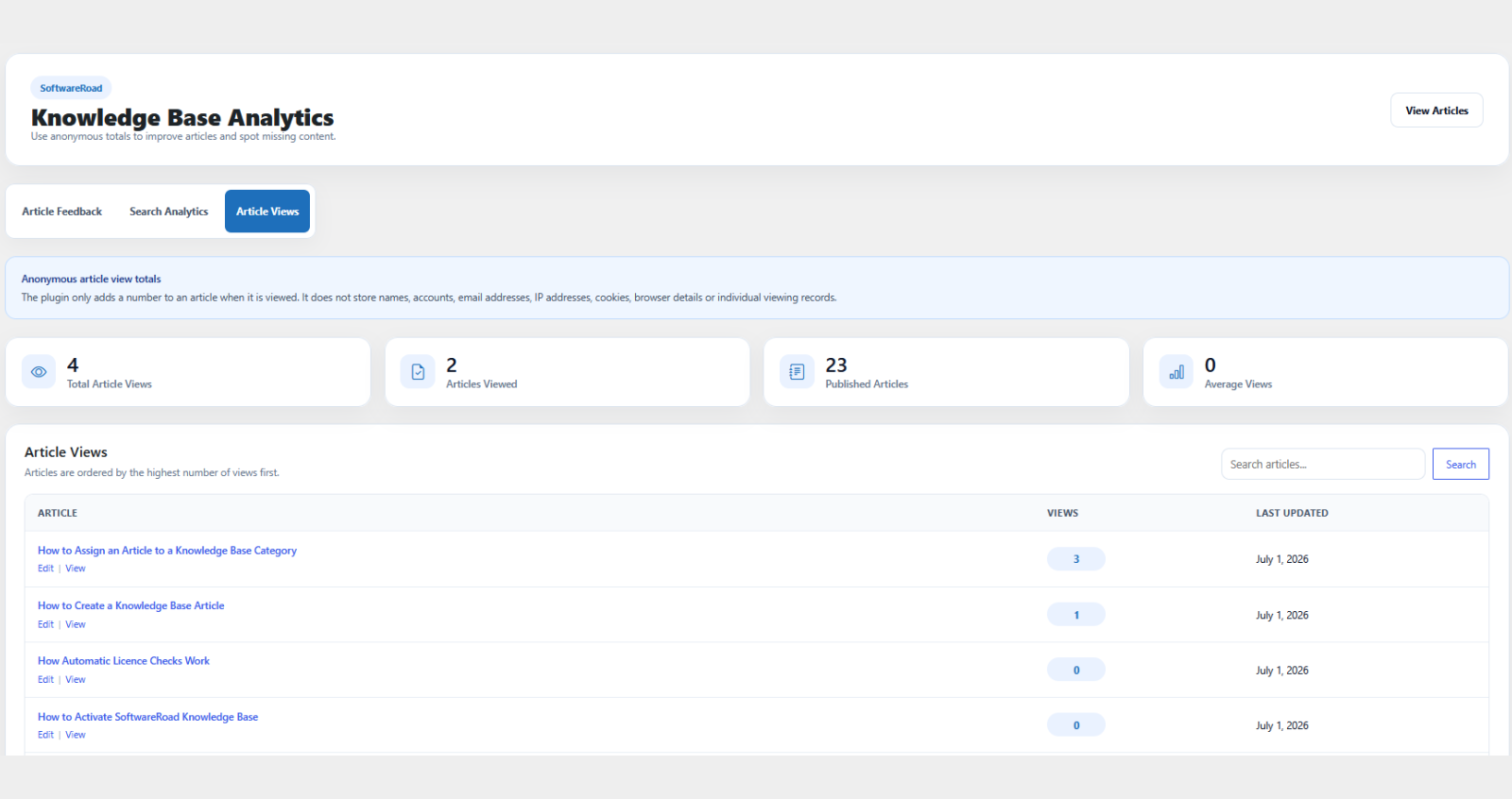
View privacy-friendly insights inside WordPress to see which articles visitors use, what they search for and whether your content answered their question.
- ✓ Anonymous article view statistics
- ✓ Knowledge base search analytics
- ✓ Helpful and unhelpful article votes
Launch your knowledge base in four clear steps
Install the plugin, customise it for your website and start publishing organised help articles directly inside WordPress.
Install and activate
Upload SoftwareRoad Knowledge Base to your WordPress website, activate the plugin and enter your licence details.
Configure and customise
Add your logo, choose your colours, change the wording and configure the search, navigation and article options you need.
Create categories and articles
Organise your documentation into useful categories and write help articles using the familiar WordPress editor.
Add and publish your knowledge base
Add the Knowledge Base shortcode to a WordPress page, publish it and give visitors a clear way to search and browse your guides.
Manage your documentation from one familiar dashboard
There is no separate documentation platform to learn. Create, organise, publish and update your knowledge base articles from the WordPress dashboard you already use.
Built for anyone who needs clearer documentation
Whether you support customers, document a product or organise useful guides, SoftwareRoad Knowledge Base gives your content a professional and searchable home inside WordPress.
WordPress plugin and theme developers
Publish installation guides, feature documentation, troubleshooting articles and answers to common product questions.
Software and SaaS companies
Give customers a searchable help centre for your software, online platform, subscription service or digital product.
Agencies and freelancers
Build polished knowledge bases and documentation areas for client websites without using a separate help centre platform.
Businesses and support teams
Organise FAQs, policies, onboarding guides, training resources and customer support information in one manageable place.
Choose the plan that suits your websites
Every plan includes the complete SoftwareRoad Knowledge Base plugin, updates and product support. Simply choose how many WordPress websites you need to use it on.
Personal Plan
Everything you need to create and manage a professional knowledge base on one WordPress website.
- ✓ All current plugin features
- ✓ Live article search and organised categories
- ✓ Article tools, analytics and helpful voting
- ✓ SEO, social sharing and URL controls
- ✓ Active subscription keeps the plugin activated
- ✓ Plugin updates, documentation and product support
Business Plan
A flexible option for businesses, freelancers and developers managing knowledge bases across several websites.
- ✓ All current plugin features
- ✓ Live article search and organised categories
- ✓ Article tools, analytics and helpful voting
- ✓ SEO, social sharing and URL controls
- ✓ Active subscription keeps the plugin activated
- ✓ Plugin updates, documentation and product support
Professional Plan
Designed for developers, freelancers and agencies creating knowledge bases across multiple client websites.
- ✓ All current plugin features
- ✓ Live article search and organised categories
- ✓ Article tools, analytics and helpful voting
- ✓ SEO, social sharing and URL controls
- ✓ Active subscription keeps the plugin activated
- ✓ Plugin updates, documentation and product support
Questions about SoftwareRoad Knowledge Base?
Find answers to common questions about the plugin, yearly subscriptions, updates, support and using it on your WordPress website.
01 Is SoftwareRoad Knowledge Base a separate platform?
No. SoftwareRoad Knowledge Base runs directly inside your WordPress website. You can create categories, publish articles, customise the design and view knowledge base insights from your existing WordPress dashboard.
02 Do I need coding experience?
No coding is required. The plugin includes settings for colours, wording, logos, icons, images, search, navigation and article features, all managed from inside WordPress.
03 Does every subscription include all plugin features?
Yes. Every subscription includes the complete SoftwareRoad Knowledge Base plugin. Features such as live search, customisation, article tools, helpful voting, analytics, SEO settings and social sharing are included with every plan.
04 How many websites can I use the plugin on?
The Personal subscription covers one WordPress website, the Business subscription covers up to five websites and the Professional subscription covers up to ten websites. Contact SoftwareRoad if you need to use the plugin on more than ten websites.
05 Is an active subscription required?
Yes. SoftwareRoad Knowledge Base is provided through a yearly subscription. An active subscription is required to use the plugin and also includes plugin updates, documentation and product support.
06 What happens if my subscription expires or is cancelled?
SoftwareRoad Knowledge Base requires an active subscription to continue working. If your subscription expires or is cancelled, you will not be able to use the plugin until the subscription is renewed or reactivated.
07 Can I upgrade my subscription later?
Yes. You can upgrade to a larger subscription if you need to use SoftwareRoad Knowledge Base on more WordPress websites. Contact SoftwareRoad support for help changing your plan.
08 Can I get help setting up the plugin?
Yes. SoftwareRoad provides documentation covering installation, subscription activation, setup, customisation, plugin features and troubleshooting. You can also contact SoftwareRoad support if you need further help.
Give your documentation a better home.
Create a searchable, professional knowledge base directly inside WordPress and make it easier for visitors to find the answers they need.